
Health declaration is extremely important, helping government agencies control the epidemic easily and promptly provide the best health care plans for people. You can make a health declaration through the Ministry of Health's website or through the Ncovi app.
1. DECLARE VIA THE MINISTRY OF HEALTH WEBSITE: www.ToKhaiYTe.vn
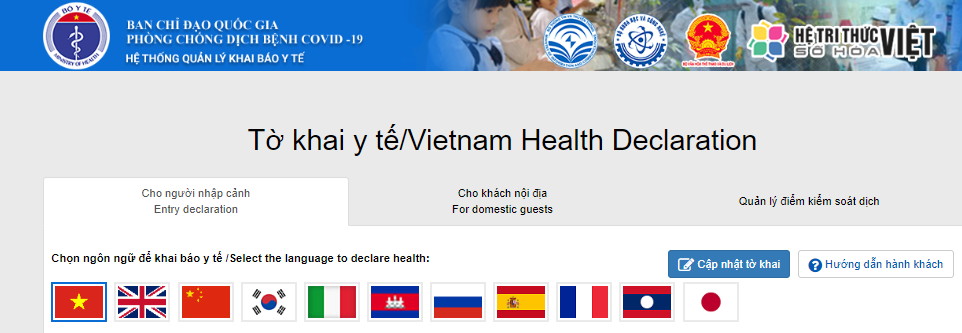
1.1 HEALTH DECLARATION FOR ENTRANTS
If you are a citizen living, working or studying abroad and returning to Vietnam, please select the declaration section for immigrants and choose the language that is appropriate for you.

Then fill in the information in the declaration box. The parts marked with an asterisk (*) are mandatory and must be truthful. Any information declared if false will be considered and handled by the Law.

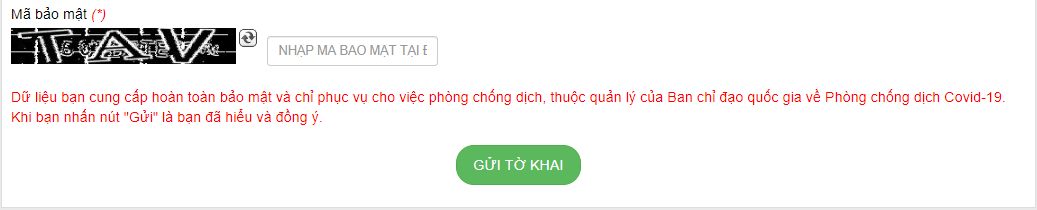
After filling in all the information, enter the Security Code in the box next to it. Finally, click on the SUBMIT DECLARATION box. You have completed your declaration process!
1.2 HEALTH DECLARATION FOR DOMESTIC TOURISTS
If you are a citizen living and working in Vietnam and have not left the country during the epidemic. Please select the declaration section for domestic visitors. Then enter the phone number for verification as required. The OTP code will be sent via text message, please enter the OTP code in the corresponding box as required next.
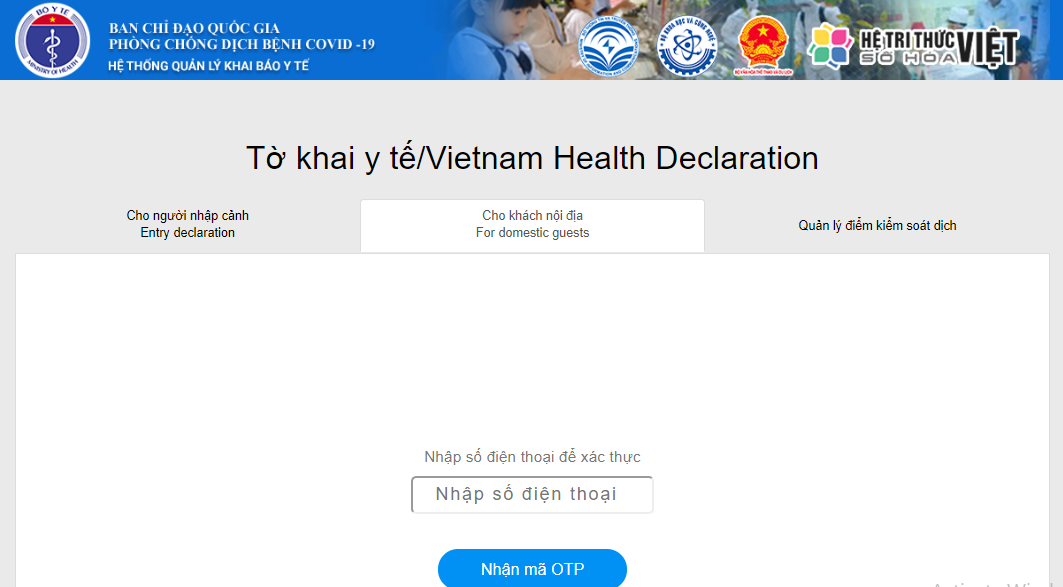
After entering the verification code, there will be a box to declare information. Information (*) must be declared clearly and honestly. Any declared information, if false, will be considered and handled by the Law.

After declaring the information, enter the corresponding security code and finally click SUBMIT DECLARATION. You have completed the declaration process for domestic residents.

2. MEDICAL DECLARATION VIA NCOVI APP
Visit the following link to download the app for Android devices: https://play.google.com/store/apps/details?id=com.vnptit.innovation.ncovi
Visit the following link to download the app for iOS devices: https://apps.apple.com/vn/app/ncovi/id1501934178
Step 1:
After accessing the NCOVI application, you need to enter personal information (full name, address, phone number, etc.) to verify your identity.
Step 2:
The application will send back an OTP code to the entered phone number, enter the OTP code into the application to authenticate.

Step 3:
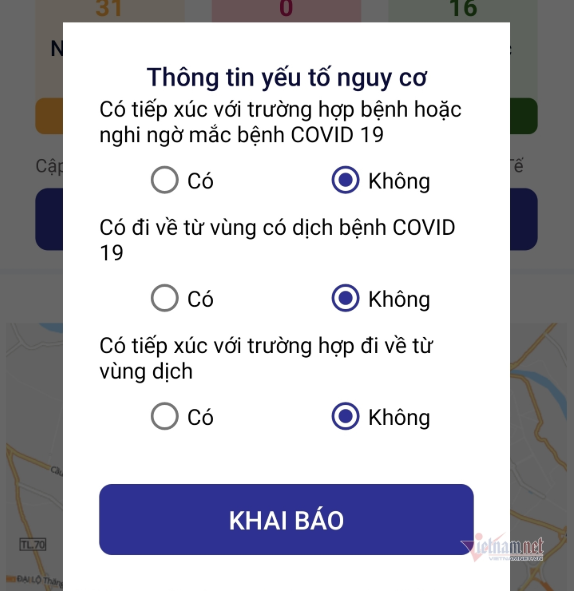
The application will display questions, and your task is to answer the information to identify whether there is a risk of Covid-19 infection or not. Then, click on the DECLARE box.
Step 4:
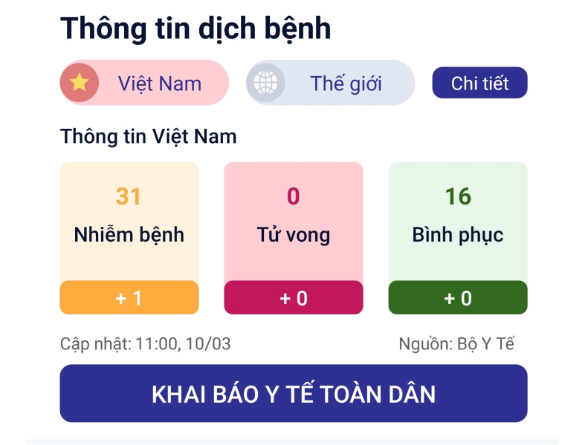
After entering the application's homepage, users need to select the Voluntary health declaration box to start the declaration.
Step 5:
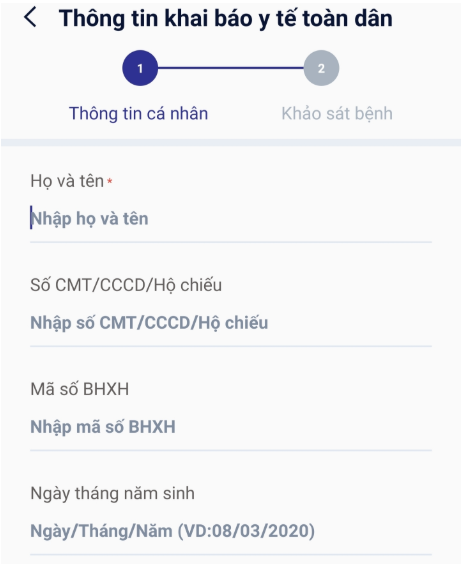
In the next step, you need to re-enter your personal information (full name, address, phone number, etc.), along with information about your medical condition (symptoms, underlying diseases if any, etc.). Finally, click on the NATIONAL HEALTH DECLARATION box.
Step 6: After completing the declaration, you check the box "I guarantee that the declared information is true" and click "Submit declaration information".
Step 7: The system notifies “Declaration information sent successfully”. So you have completed all the steps of your health declaration! Phu Quoc Express wishes you good health!
Phu Quoc Express – Connecting Vietnam's Mountains and Rivers
Photo NCOVI: Vietnamnet
