
 EN
EN  VI
VI  CN
CN  KM
KM  KO
KO  JA
JA Detailed Guide: 4 Steps to Book S-Bahn Tickets Online – Lý Sơn
To maximize convenience and save you time, Phú Quốc Express has implemented a modern and secure online ticketing system. With just a few simple steps, you can easily choose your schedule, seat location, and receive your e-ticket instantly. Below is a detailed 4-step guide to booking tickets for the sea route. Sa Kỳ – Lý Sơn.
Step 1: Access the System & Select Trip Schedule
First, please visit the official ticketing website of Phú Quốc Express at the address: https://online.phuquocexpress.com/
On the homepage interface, please select your cruise information:
- Departure point destination: Select Sa Ky – Ly Son
- Check-in date & Check-out date: Select your desired travel date (If one-way, please select only the departure date).
- Number of passengers: Select the number of adults, children, seniors.
After finishing, press the button “FIND THE WAY”.
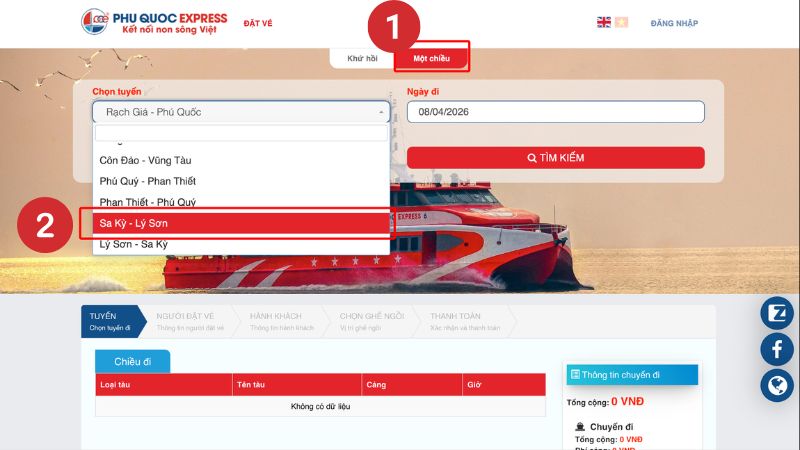
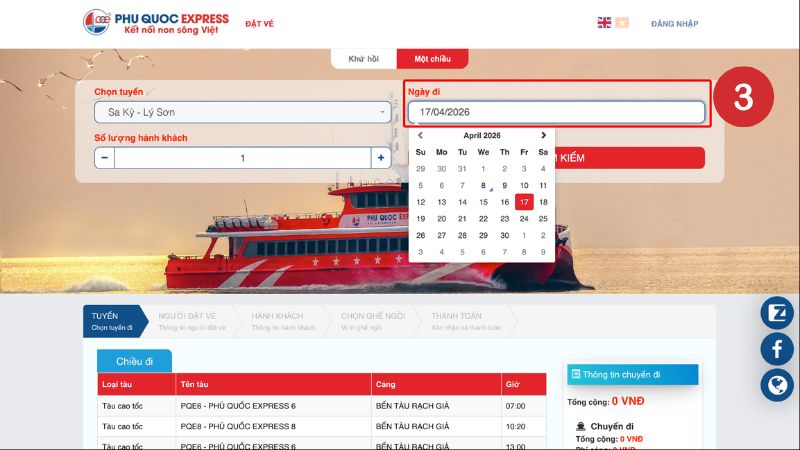
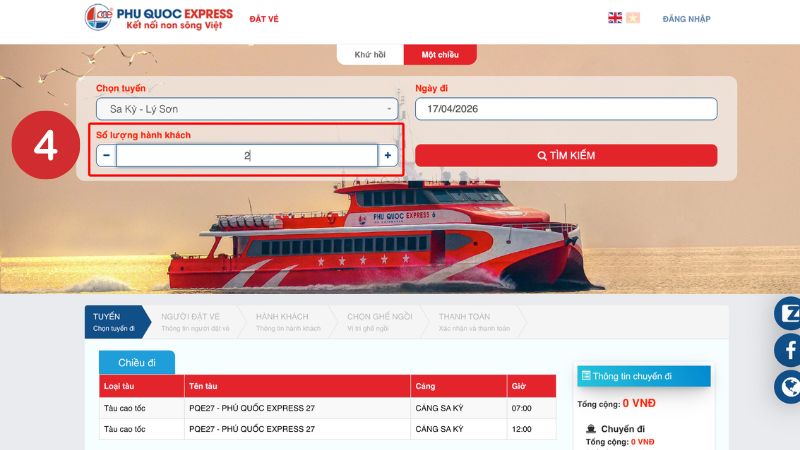
After you click search, the system will display available departure times for the selected day. Please choose the most suitable departure and return times (if available), then click “CONTINUE”.
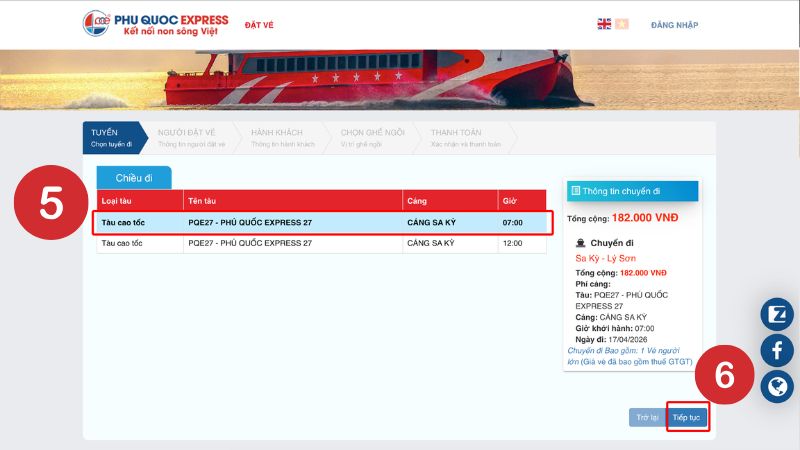
Step 2: Provide Passenger & Booker Information
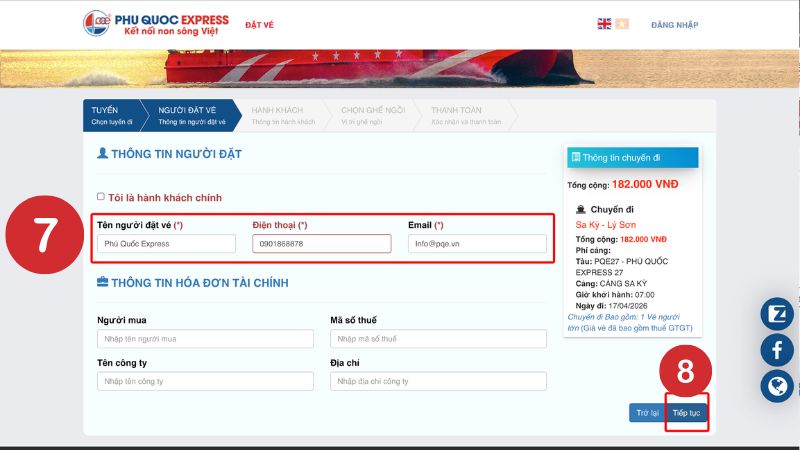
2.1. Booking Party Information
Please fill in the contact person's information completely and accurately, including:
- Booker's Name
- Phone number
- Email Address
Please note: This information is extremely important for us to send e-tickets and for contacting you in necessary cases (train schedule changes due to weather, promotion announcements, etc.).
2.2. Passenger Information & Seat Selection
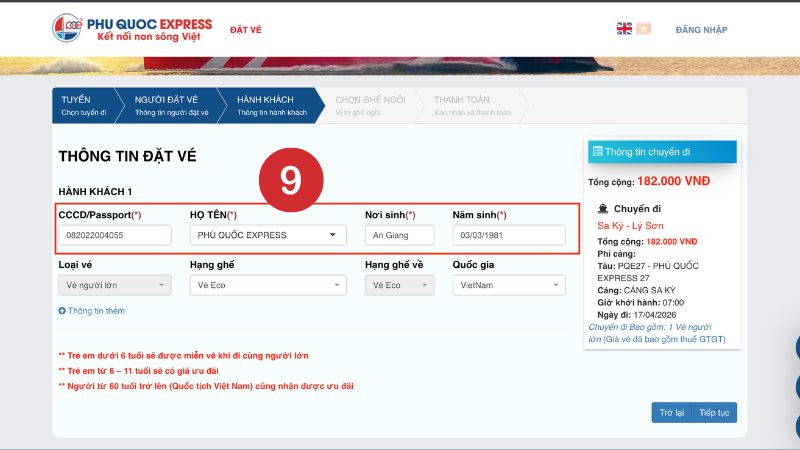
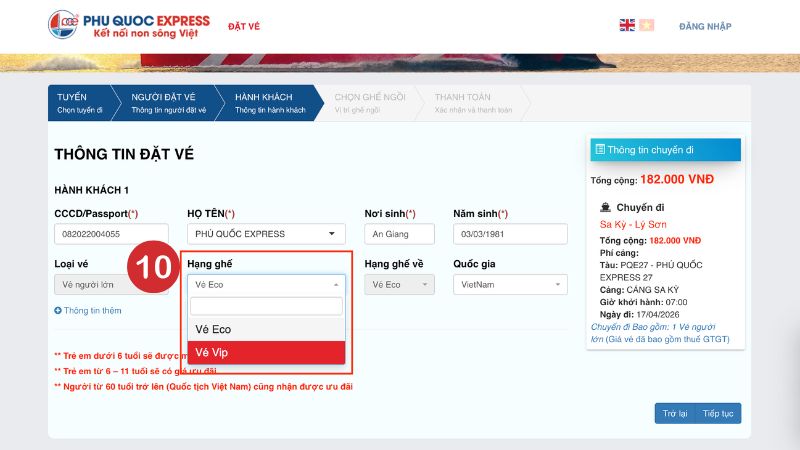
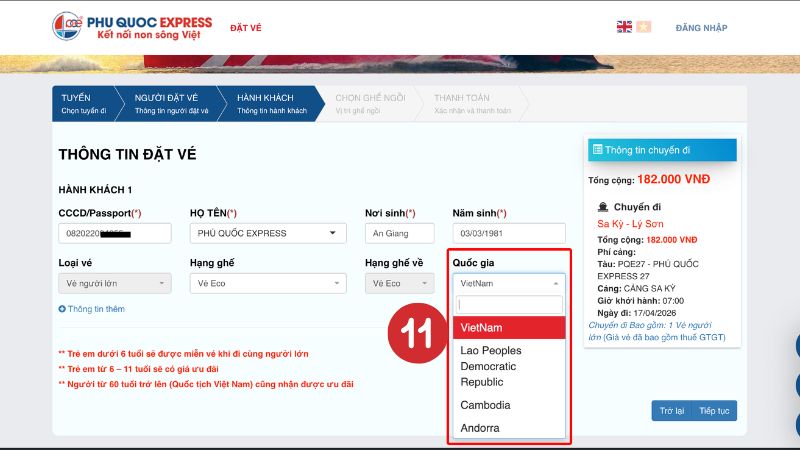
Next, you need to accurately enter the information for each passenger in the group to facilitate ticket issuance and reporting to the port authority. The required information includes: Full Name, Citizen ID/Passport, Place of Birth, Year of Birth.
After filling it out, press “CONTINUE”.
The system will display the train seating chart. You can proactively click on the desired seat location to change it. After selecting, press “CONTINUE”.
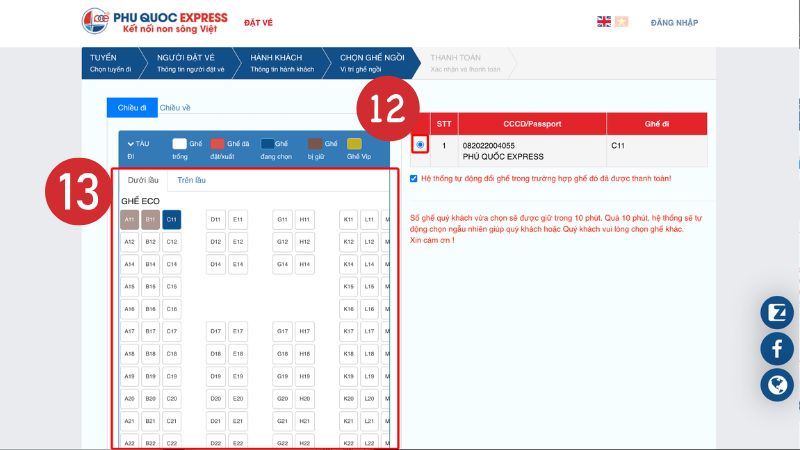
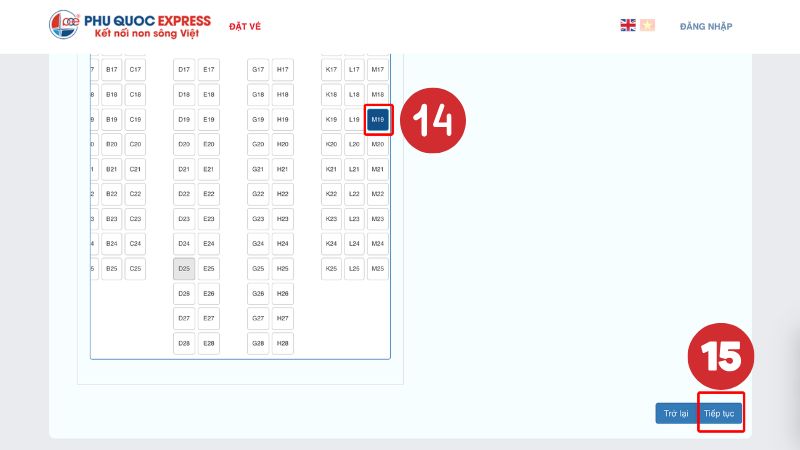
Step 3: Review Information & Select Payment Method
At this step, the screen will display all trip information: Itinerary, passenger details, and total amount. Please check it carefully one more time to ensure there are no errors.
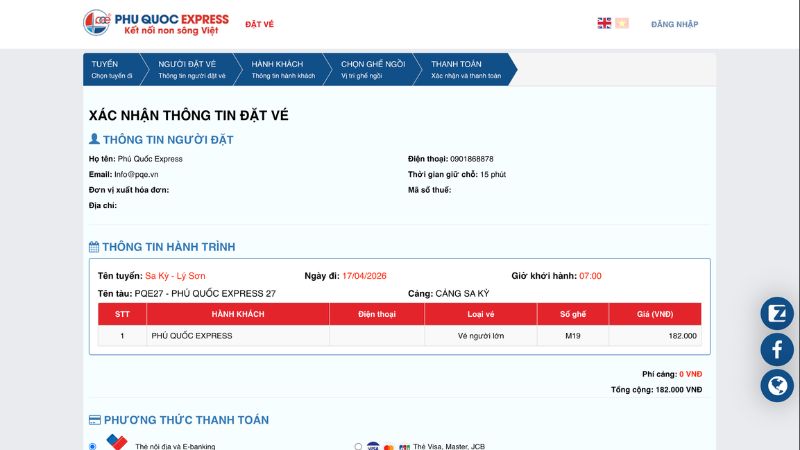
Scroll down to “Payment Method”, select the payment gateway VNPAY-QR. This is a versatile payment gateway, supporting multiple methods such as: QR code scanning, domestic ATM cards, international cards (Visa/Mastercard), e-wallets...
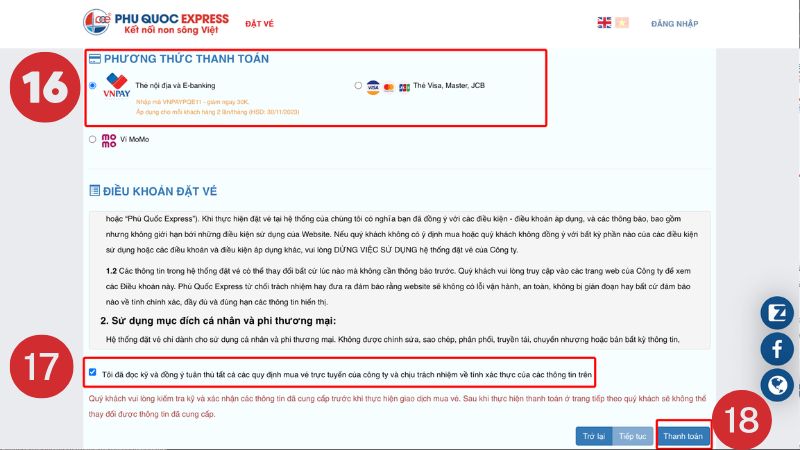
Check the box “I agree to the terms and conditions of the website,” then click the button “PAYMENT”.
Step 4: Complete Payment & Receive E-Ticket
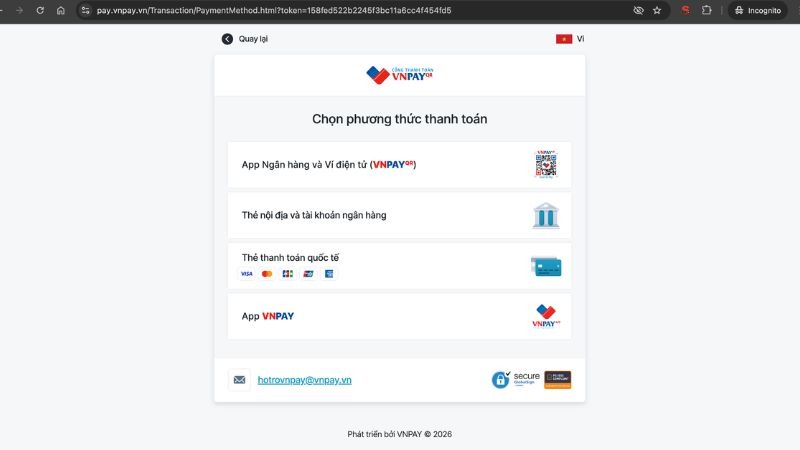
The system will automatically switch to VNPAY's secure payment interface. Here, you can choose one of the following suitable methods:
- Scan QR code Open the bank's Mobile Banking app, select the QR Pay feature, and scan the code on the screen.
- Domestic card & bank account Enter ATM card information to pay.
- International card: Enter Visa, Mastercard, JCB card information...
- E-wallet Select e-wallets linked with VNPAY.
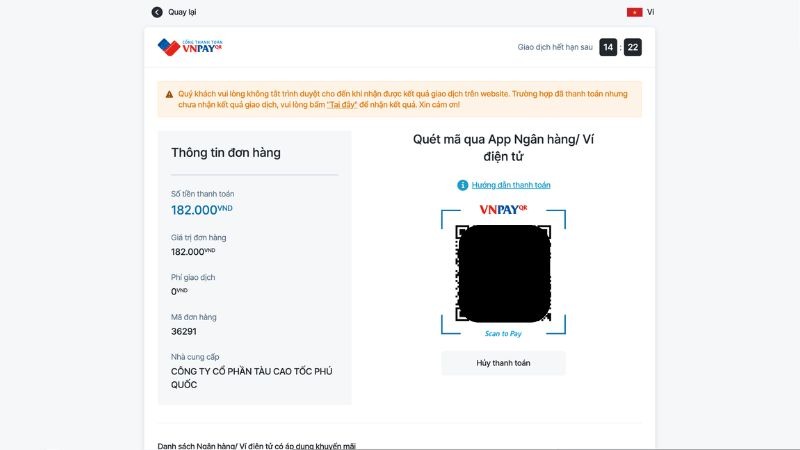
Special: After scanning the QR code or selecting the payment method, if there is a promotion ongoing, the bank app/e-wallet will display the item “Select discount code”. Customers only need to select the appropriate code to receive the promotion.

After successful payment, the system will automatically send Electronic Train Ticket (with QR code) to the email address you registered in Step 2. When you arrive at the port, simply open the email on your phone and present the QR code to the ticket inspector to check in for the boat without needing a paper ticket.
Have a safe and complete trip with Phú Quốc Express!
